
How To Buy with Bitcoin
How to Register, Verify, and Use Bitcoin on Cash App
We highly recommend CASHAPP – UNITED STATES ONLY.
Cash App is a well-known payment provider in the United States, offering the ability to buy and use Bitcoin for online shopping. To get started, follow these steps:
Step 1: Download and Set Up Cash App
- Download Cash App from the App Store or Google Play.
- Create an Account: Follow the on-screen prompts to enter your phone number or email address and set up your account.
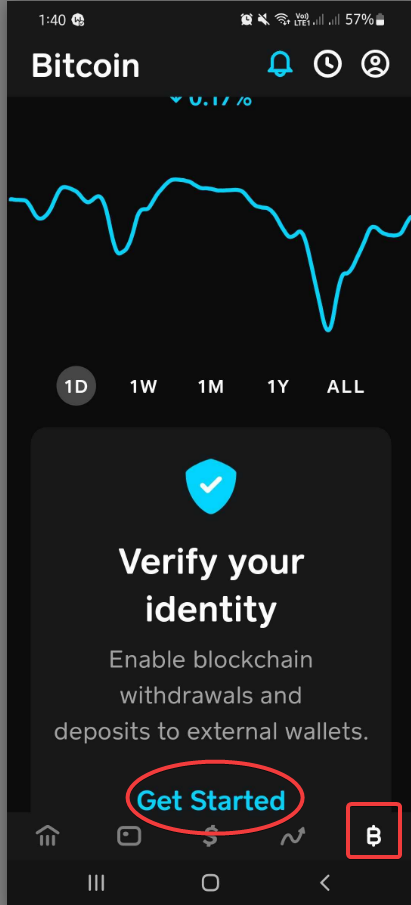
Step 2: Verify Your Identity
To enable Bitcoin purchases, you need to verify your identity. For faster approval, use your Driver’s License.
- Tap the Profile icon in the top-right corner.
- Go to Personal and select Verify Your Identity.
- Follow the instructions to upload your Driver’s License and complete the verification process.
Step 3: Buy Bitcoin
Once your identity is verified:
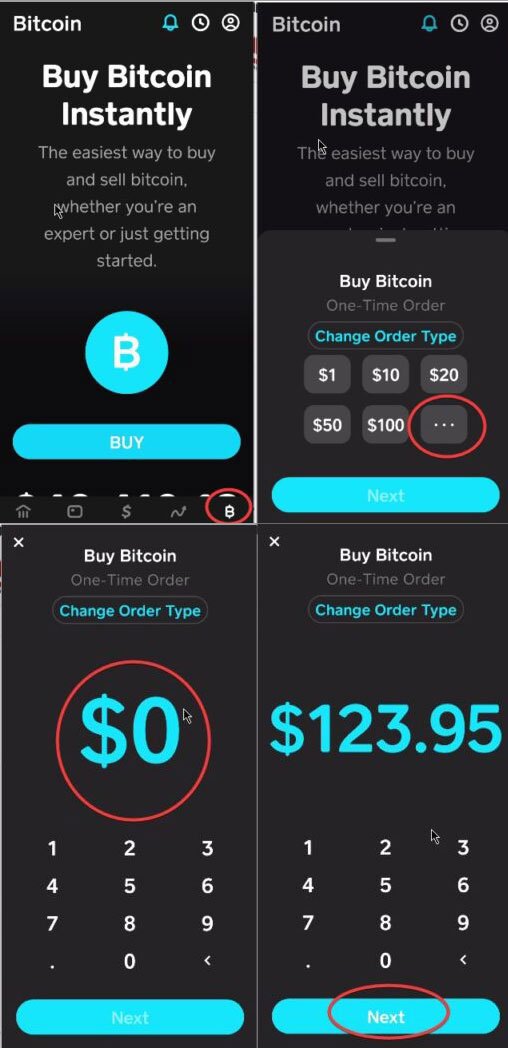
- From the Cash App home screen, tap USD to toggle to BTC (Bitcoin).
- Tap Bitcoin.
- Tap Buy Bitcoin, then select the amount of Bitcoin you want to purchase.
- Add a small amount of USD (usually $2-5) to cover network fees.
- Follow the prompts to complete the transaction.
Step 4: Withdraw Bitcoin to a Third-Party Wallet
You can withdraw Bitcoin to any third-party Bitcoin wallet. Here’s how:
- From the Cash App home screen, tap USD and toggle to BTC.
- Tap Send Bitcoin.
- Tap the top-left corner to access the QR code scanner, or tap Send to manually enter the external wallet address.
- Confirm the wallet address and tap Next.
- Choose your Withdrawal Speed (Standard, Rush, or Priority).
- Tap Confirm & Send to complete the withdrawal.
Step 5: Minimum Withdrawal Amounts
- Standard withdrawal speed requires a minimum of 0.001 BTC.
- Rush and Priority withdrawals have a minimum withdrawal amount of 0.00005 BTC
Once your account is verified, you can buy Bitcoin and use it for online purchases or transfer it to another wallet.
How to Complete a Purchase Using BTC Pay on Life Link Research
Select BTC Pay as Your Payment Method
During checkout, choose BTC Pay as your payment option.Confirm Your Order
Click on “Confirm Order” to proceed to the next step.Proceed to Payment
On the next page, click “Continue” to move forward with the payment process.Scan QR Code or Copy Wallet Address
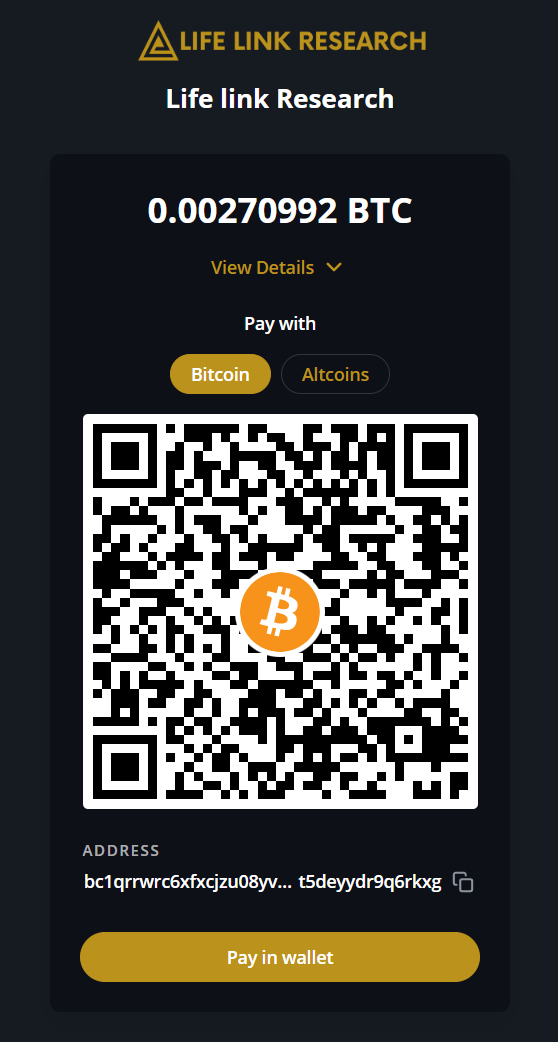
You’ll be redirected to a page with a QR code or a wallet address.- Option 1: Scan the QR code using your Bitcoin wallet (Cash App, in this case).
- Option 2: Copy the wallet address provided.
Withdraw Bitcoin from Cash App
Open your Cash App and:- Tap BTC to switch to Bitcoin.
- Select Withdraw or Send Bitcoin.
- Paste the copied wallet address into the recipient field (or scan the QR code).
- Confirm the transaction.
Wait for Blockchain Confirmation
Once the transaction is sent, your payment will be processed and verified by the blockchain network.This usually takes around 30 minutes.Order Processing
After the payment is confirmed, your order will be processed, and you’ll receive a confirmation of your purchase.